
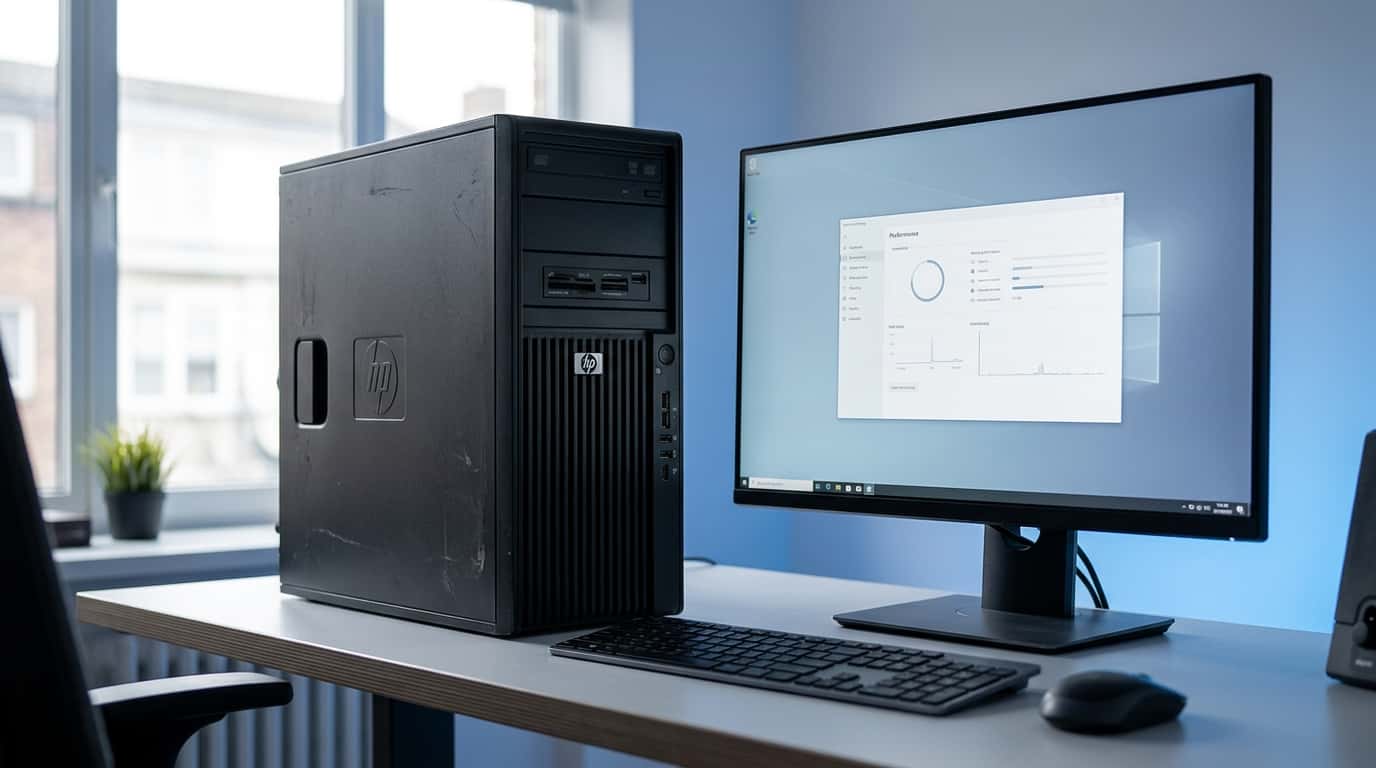
The HP Z400 is one of those older workstations that refuses to disappear from the used-PC market. Originally designed for professional users, engineers, designers, and other demanding workloads, this workstation offered Intel Xeon processors, ECC memory, dedicated graphics support, and a sturdy business-class chassis.
More than a decade later, however, buying an old workstation is less straightforward. A computer that was considered powerful when it launched can have very different strengths and weaknesses in 2026.
So, is the HP Z400 still worth buying today?
It can be—but mainly if you understand what you’re getting. With the right processor, enough RAM, an SSD, and a suitable graphics card, the Z400 can still handle everyday computing, older professional software, basic content creation, and various hobby projects. On the other hand, its aging platform means you shouldn’t expect modern performance, current connectivity, or the efficiency of a newer desktop.
Let’s take a closer look at what the HP Z400 offers and whether it still makes sense in 2026.
What Is the HP Z400?
The HP Z400 is a professional workstation from HP’s Z-series lineup. Unlike ordinary consumer desktops, it was designed for professional environments where reliability, expandability, and support for workstation hardware were important.
The platform is based on Intel’s X58 chipset and uses the LGA1366 processor socket. HP offered the workstation with several Intel Xeon processors, along with ECC DDR3 memory and dedicated PCI Express graphics options.
HP’s original specifications show that the Z400 supported Xeon processors from the 3500 and 3600 families, depending on the system revision and configuration. It also offered SATA storage, Gigabit Ethernet, and multiple expansion slots.
That hardware is obviously old today, but the workstation’s professional design is one reason used Z400 systems can still be interesting.
HP Z400 Specifications
One important thing to understand about the Z400 is that there isn’t a single configuration.
The workstation was sold with different processors, memory capacities, storage drives, and graphics cards. A Z400 you find today could therefore be very different from another Z400.
Here are some of the major platform specifications:
| Component | HP Z400 |
|---|---|
| Processor platform | Intel Xeon |
| CPU socket | LGA1366 |
| Chipset | Intel X58 |
| Memory | DDR3 ECC |
| Storage interface | SATA |
| Graphics | Dedicated PCI Express graphics |
| Networking | Gigabit Ethernet |
| Expansion | PCI and PCI Express |
| Form factor | Workstation minitower |
| Original operating systems | Windows and Linux configurations |
HP’s official documentation confirms that the Z400 was offered with multiple Xeon processors, DDR3 memory configurations, SATA storage, and dedicated graphics options.
If you’re researching a specific Z400 before buying or upgrading it, the official HP Z400 support and documentation page is useful because different configurations and revisions can have different hardware capabilities.
This variation is important if you’re purchasing one used. Don’t assume that every Z400 has the same specifications just because the model number is identical.
Which Processor Does the HP Z400 Use?
The processor is one of the most interesting parts of the Z400.
Depending on the configuration, the workstation can be found with several Intel Xeon processors. Some configurations use quad-core Xeons, while later versions can be equipped with six-core chips such as the Xeon W3670, W3680, and W3690.
The W3680, for example, is a six-core processor with 12 threads, a 3.33 GHz base frequency, a 3.60 GHz maximum turbo frequency, and a 130W TDP. Intel lists the processor as a discontinued product today.
That sounds impressive until you remember how old the underlying architecture is.
A six-core processor from this era shouldn’t be compared directly with a modern six-core CPU. Modern processors have significantly improved instructions-per-clock performance, memory technology, efficiency, and platform features.
This means the Z400’s processor can still be useful, but its core count alone doesn’t tell the whole story.
For someone buying a Z400 today, the exact processor matters much more than simply seeing “Xeon” in the listing.
HP Z400 RAM: How Much Can It Handle?
Memory is another area where you need to pay attention to the exact version of the workstation.
The original Z400 documentation lists DDR3 memory, with configurations supporting different amounts depending on the motherboard version. Later versions can provide greater memory capacity than earlier configurations.
The workstation was designed to support ECC memory, which was an important feature for professional workloads where memory reliability mattered.
For everyday use today, you don’t necessarily need to maximize the system’s memory.
A practical setup might look like this:
- 8GB: Basic tasks, but limited for multitasking
- 16GB: Much more comfortable for everyday use
- 24GB or more: Useful for heavier multitasking and certain workstation workloads
If you’re purchasing used RAM, make sure it matches the requirements of your particular Z400 revision. Older workstations can be surprisingly particular about memory type and configuration.
Can You Install an SSD in the HP Z400?
Yes, and this is one of the most worthwhile upgrades you can make.
Many used Z400 systems still contain mechanical hard drives because HDDs were common when these workstations were originally sold.
Replacing an old HDD with a SATA SSD can make the entire computer feel considerably more responsive.
An SSD can improve:
- Windows startup times
- Application loading
- File access
- General system responsiveness
- Software installation
- File transfers
However, an SSD won’t transform the Z400’s CPU into a modern processor. It simply removes one of the biggest bottlenecks caused by old mechanical storage.
If you find a Z400 with an old hard drive, an SSD should probably be near the top of your upgrade list.
What Graphics Cards Work With the HP Z400?
The Z400 was designed to accommodate dedicated professional graphics cards through its PCI Express slots.
That makes graphics upgrades possible, but you need to be careful.
Before installing a graphics card, check:
- The power supply
- Available PCIe power connectors
- Physical card length
- Card thickness
- Power consumption
- Operating-system compatibility
- CPU limitations
The Z400 platform supports PCI Express graphics expansion, allowing the original workstation configurations to use dedicated professional graphics cards.
This means you aren’t restricted to the original graphics hardware. However, that doesn’t mean every modern graphics card is a sensible match.
Installing an extremely powerful GPU into an old Z400 can result in a significant CPU bottleneck, particularly in CPU-heavy games and applications.
A balanced graphics upgrade is generally more sensible than trying to turn the machine into a modern high-end gaming PC.
Is the HP Z400 Good for Gaming in 2026?
The answer depends heavily on the games and graphics card involved.
The Z400 wasn’t designed specifically as a gaming desktop, but there’s nothing preventing you from using one for gaming.
With a reasonable graphics card, it can handle older games and some less demanding modern titles.
However, the aging Xeon platform becomes a major limitation in newer CPU-intensive games.
Modern gaming PCs benefit from much stronger single-core performance, faster memory, newer PCI Express technology, and more efficient processors.
For that reason, the Z400 is better viewed as a budget gaming project rather than a modern gaming platform.
If you already own one, adding a reasonably priced GPU can be an interesting experiment. If you’re buying a computer specifically for modern gaming, though, you should compare the total upgrade cost against newer used or budget systems.
Is the HP Z400 Good for Everyday Use?
For basic everyday tasks, an upgraded Z400 can still be surprisingly usable.
With an SSD and sufficient RAM, you can use it for:
- Web browsing
- Microsoft Office
- Word processing
- Spreadsheets
- Online research
- Programming practice
- File management
- Media playback
- Basic multitasking
The key word here is upgraded.
A Z400 with a slow mechanical hard drive, minimal RAM, and an entry-level processor will feel much less capable than a properly configured version with an SSD and a faster Xeon.
This is why the exact configuration matters so much when purchasing an old workstation.
Can the HP Z400 Handle Video Editing?
It can handle some video-editing workloads, but expectations should be realistic.
The Z400 was designed for professional workloads, so its workstation heritage gives it some advantages. However, modern editing software has become significantly more demanding.
For basic editing, older projects, lower-resolution footage, and learning purposes, a well-configured Z400 can still be useful.
For demanding 4K production, complex effects, advanced color grading, or professional workloads where rendering speed matters, the age of the platform becomes much more noticeable.
The same applies to 3D rendering and other heavily multithreaded workloads.
The Z400 can still be a useful learning machine, but it shouldn’t be mistaken for a modern professional workstation.
HP Z400 Power Consumption
Power efficiency is one of the less attractive aspects of using an old workstation in 2026.
The Z400’s Xeon processors were designed in an era when modern efficiency standards were not as advanced as they are today.
HP shipped Z400 configurations with different power-supply options depending on the configuration.
That doesn’t mean the workstation constantly consumes the full rated power of its PSU. Actual electricity usage depends on the CPU, graphics card, storage, and workload.
Still, an older workstation can consume considerably more power than a newer PC delivering similar everyday performance.
If you plan to leave the computer running for many hours every day, electricity consumption should be part of the overall cost calculation.
HP Z400 Pros
Despite its age, the workstation still has several useful qualities.
Solid Build Quality
The Z400 was designed as a professional workstation rather than a basic consumer desktop.
Its chassis and internal design were built with serviceability and expansion in mind.
Xeon Processing
Higher-end configurations can include six-core Xeon processors, giving the platform respectable multithreaded capability for its age.
ECC Memory
ECC memory support was an important workstation feature and can be useful for certain specialized workloads.
SSD Upgrade Potential
Adding a SATA SSD is relatively straightforward and can dramatically improve responsiveness compared with an old HDD.
Expansion Slots
The workstation provides PCI Express expansion capability, giving users room for graphics and other hardware upgrades.
Cheap Used Hardware
Perhaps the biggest attraction in 2026 is the price.
If you can find a complete Z400 cheaply, it can provide a surprisingly capable base for experimentation and everyday computing.
HP Z400 Cons
The workstation also has some serious limitations.
Very Old Platform
The biggest problem is simply age.
The CPU architecture, memory standard, storage interface, and motherboard platform are all several generations behind today’s hardware.
DDR3 Memory
DDR3 is now an outdated memory standard, and modern systems use much faster and more efficient memory technologies.
Limited Modern Connectivity
The original Z400 doesn’t provide the modern connectivity you’d expect from a current desktop.
You won’t get features such as built-in USB-C or modern high-speed storage interfaces without adding expansion hardware.
Higher Power Consumption
The older platform isn’t particularly efficient compared with modern CPUs.
Limited Upgrade Path
There’s only so much you can do with an LGA1366/X58 workstation.
You can upgrade individual components, but eventually the motherboard itself becomes the limiting factor.
Aging Components
A used Z400 can have more than just performance issues.
Fans, power supplies, hard drives, thermal materials, CMOS batteries, and other components can deteriorate with age.
That’s why physical inspection is important when purchasing one.
What Should You Upgrade First?
If you already have an HP Z400, upgrading it in the right order can save money.
1. Install an SSD
If the computer still uses an HDD as its main drive, this should usually be the first upgrade.
2. Increase the RAM
If you have only 4GB or 8GB, moving to a larger configuration can improve multitasking.
3. Check the CPU
If the system has an entry-level Xeon, a compatible higher-end processor can provide additional performance without replacing the entire platform.
4. Upgrade the GPU if Necessary
Only spend money on a graphics card if your workload actually needs it.
5. Clean and Maintain the System
Remove dust, check the fans, inspect cables, and monitor temperatures.
With an old workstation, maintenance can be just as important as hardware upgrades.
What Should You Check Before Buying an HP Z400?
If you’re looking at a used Z400, don’t simply search for “HP Z400” and buy the cheapest listing.
Ask the seller for the complete configuration.
Check:
- Exact Xeon processor
- RAM capacity
- RAM type
- Number of RAM slots
- Storage type
- Storage capacity
- Graphics card
- Power supply
- Operating system
- Physical condition
Also ask whether the machine has been tested under load.
A cheap workstation isn’t necessarily a good deal if you immediately need to replace the power supply, storage, RAM, and graphics card.
The exact model and configuration matter because HP sold the Z400 with different processor, memory, storage, and graphics options.
Who Should Buy the HP Z400 in 2026?
The Z400 can make sense for several types of users.
Students
If you need an inexpensive desktop for basic computing, programming practice, Office applications, or learning hardware, a cheap Z400 can be useful.
Hardware Enthusiasts
If you enjoy upgrading and experimenting with older computers, the Z400 provides plenty of opportunities.
Budget Users
Someone who simply needs a basic desktop and finds a very inexpensive Z400 may get good value from it.
Hobbyists
It can also be useful for home-server experiments, older software, testing, and other projects where cutting-edge performance isn’t required.
Who Should Avoid It?
The Z400 isn’t ideal for everyone.
You should think carefully before choosing one for:
- High-end modern gaming
- Professional 4K video production
- Heavy 3D rendering
- Modern workstation applications
- Long-term future-proofing
- Maximum energy efficiency
In these situations, the cost of upgrading an old platform can eventually outweigh its low purchase price.
Is the HP Z400 Worth Buying in 2026?
There isn’t one answer for everyone.
The most important factors are price, configuration, condition, and intended use.
A cheap Z400 with a capable Xeon, sufficient RAM, an SSD, and a decent graphics card can still be a useful computer.
A poorly configured Z400 with an old HDD, little RAM, and a weak processor may not be worth spending much money on.
The same principle applies to upgrades. If you need to spend a large amount of money replacing several components, it makes sense to compare that total cost with a newer used PC.
The Z400’s biggest advantage is therefore not raw performance. It’s the possibility of getting a functional workstation for very little money.
Frequently Asked Questions About the HP Z400
Is the HP Z400 still worth it in 2026?
The HP Z400 can still be worth it for basic computing, older software, hardware projects, and budget use. Its value depends on the processor, RAM, storage, graphics card, condition, and purchase price.
Can the HP Z400 run Windows 10?
The HP Z400 can run Windows 10 with compatible hardware and drivers, although Microsoft’s official support for Windows 10 ended on October 14, 2025. For a 2026 purchase, operating-system support should therefore be considered carefully.
Can you install an SSD in an HP Z400?
Yes. The HP Z400 supports SATA storage, so you can install a SATA SSD. An SSD is one of the most noticeable upgrades for an older Z400, especially if the system currently uses a mechanical hard drive.
How much RAM can an HP Z400 have?
The exact maximum depends on the Z400 motherboard revision and memory configuration. The workstation supports DDR3 ECC memory, and some versions have six memory slots. A 16GB or larger configuration can be useful for comfortable everyday multitasking.
What processor does the HP Z400 use?
The HP Z400 uses Intel Xeon processors from the 3500 and 3600 families, depending on the configuration and motherboard revision. Some versions can be equipped with six-core Xeon processors.
Is the HP Z400 good for gaming?
The HP Z400 can handle older and less demanding games when paired with an appropriate graphics card. However, its old Xeon platform can limit performance in newer CPU-intensive games, so it isn’t an ideal choice for modern high-end gaming.
Can the HP Z400 run modern graphics cards?
Some newer graphics cards can work with the HP Z400, but compatibility depends on factors such as power requirements, PCIe compatibility, physical clearance, connectors, drivers, and CPU performance. A balanced GPU is generally more appropriate than a very high-end card.
Can the HP Z400 be upgraded?
Yes. You can upgrade several components, including the RAM, storage, processor, and graphics card. However, the underlying LGA1366/X58 platform is old, so its upgrade potential is limited compared with a modern desktop.
Is the HP Z400 good for video editing?
The HP Z400 can handle basic video editing and older creative applications, particularly with an SSD, sufficient RAM, and a suitable graphics card. More demanding modern editing workloads can expose the limitations of its older CPU and platform.
Does the HP Z400 use ECC RAM?
Yes. The HP Z400 supports DDR3 ECC memory. However, the exact memory configuration and compatibility depend on the particular Z400 motherboard and system revision.
Is the HP Z400 good for everyday use?
An upgraded HP Z400 can still handle everyday tasks such as web browsing, Microsoft Office, email, word processing, spreadsheets, and basic multitasking. Installing an SSD and having enough RAM can make a significant difference.
What should I check before buying an HP Z400?
Check the exact Xeon processor, RAM capacity, storage drive, graphics card, power supply, motherboard revision, physical condition, and whether the computer has been tested. Also consider the cost of any upgrades you’ll need after purchasing it.
Final Thoughts
The HP Z400 is old, but that doesn’t automatically make it useless.
Its workstation-oriented design, Xeon processors, ECC memory support, expansion options, and relatively easy storage upgrades give it some life in 2026. With an SSD, adequate RAM, and a sensible graphics card, it can still handle everyday computing and a range of lighter workloads.
At the same time, its age can’t be ignored. The platform uses outdated technology, consumes more power than many modern systems, lacks modern connectivity, and has a limited upgrade path.
That makes the Z400 most interesting when you’re getting it very cheaply or already own one.
For someone looking for a low-cost computer to learn on, experiment with, or use for everyday tasks, it can still be an interesting machine. For demanding modern workloads, however, newer hardware offers a much more modern platform.
In short, the HP Z400 isn’t a modern powerhouse—but in the right configuration and at the right price, it can still be a useful old workstation in 2026.